SendFox Updates: New Features & Improvements
A fresh batch of improvements has landed in SendFox — with easier ways to reuse content, move your audience over, and manage automation subscribers. Here's what's new.
Stop repeating yourself: Introducing Global Variables 🔁
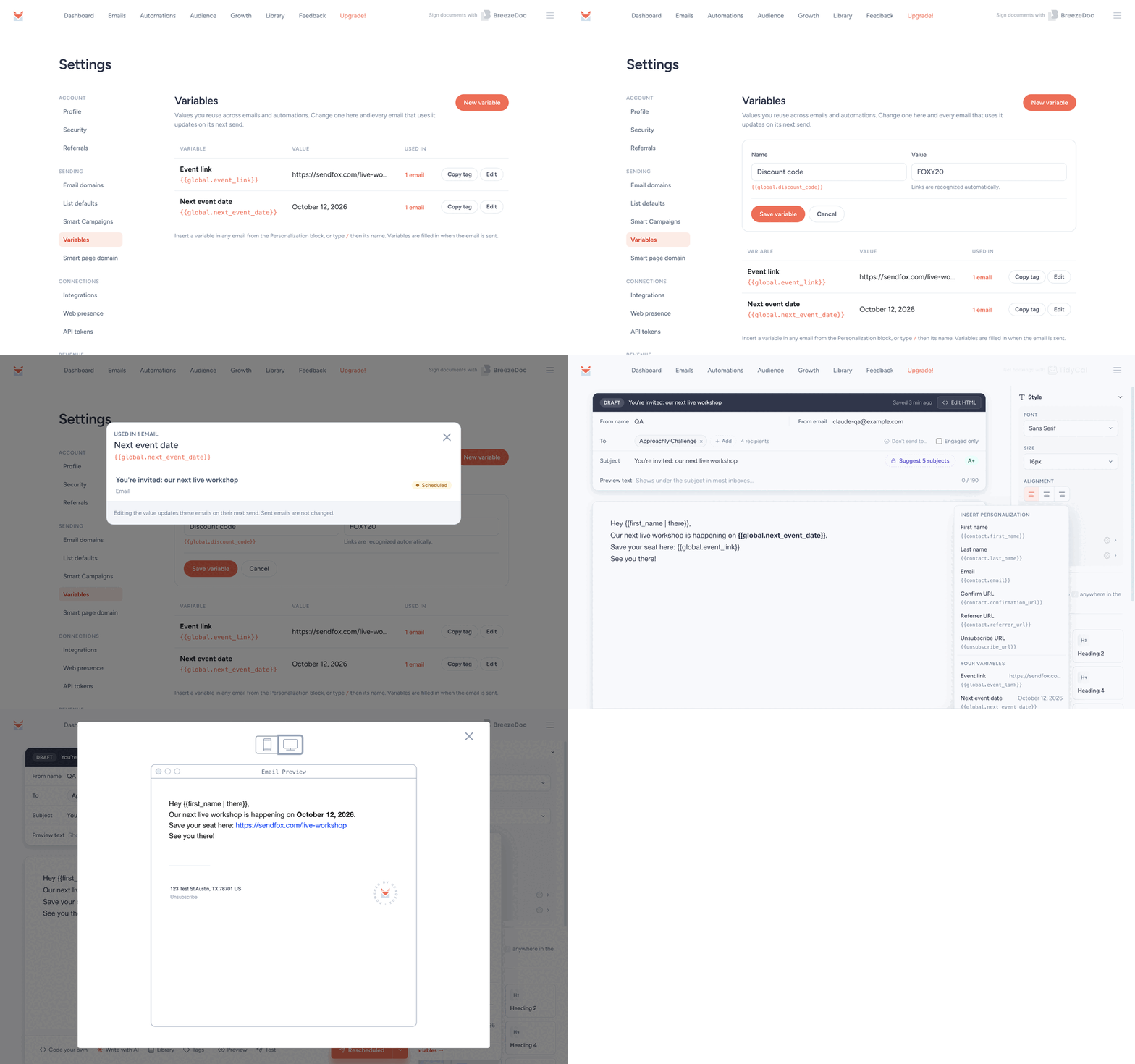
Global variables let you save a date, link, or price once and reuse it across your emails and automations. Create a variable such as , then insert it from the Personalization menu or by typing / in the editor.
Link values automatically become clickable links. When you update a variable, its new value carries through to every upcoming send — including previews — so one small change can update all the right places.
Create a global variable →
Allow Contacts to Resubscribe through Forms ✅
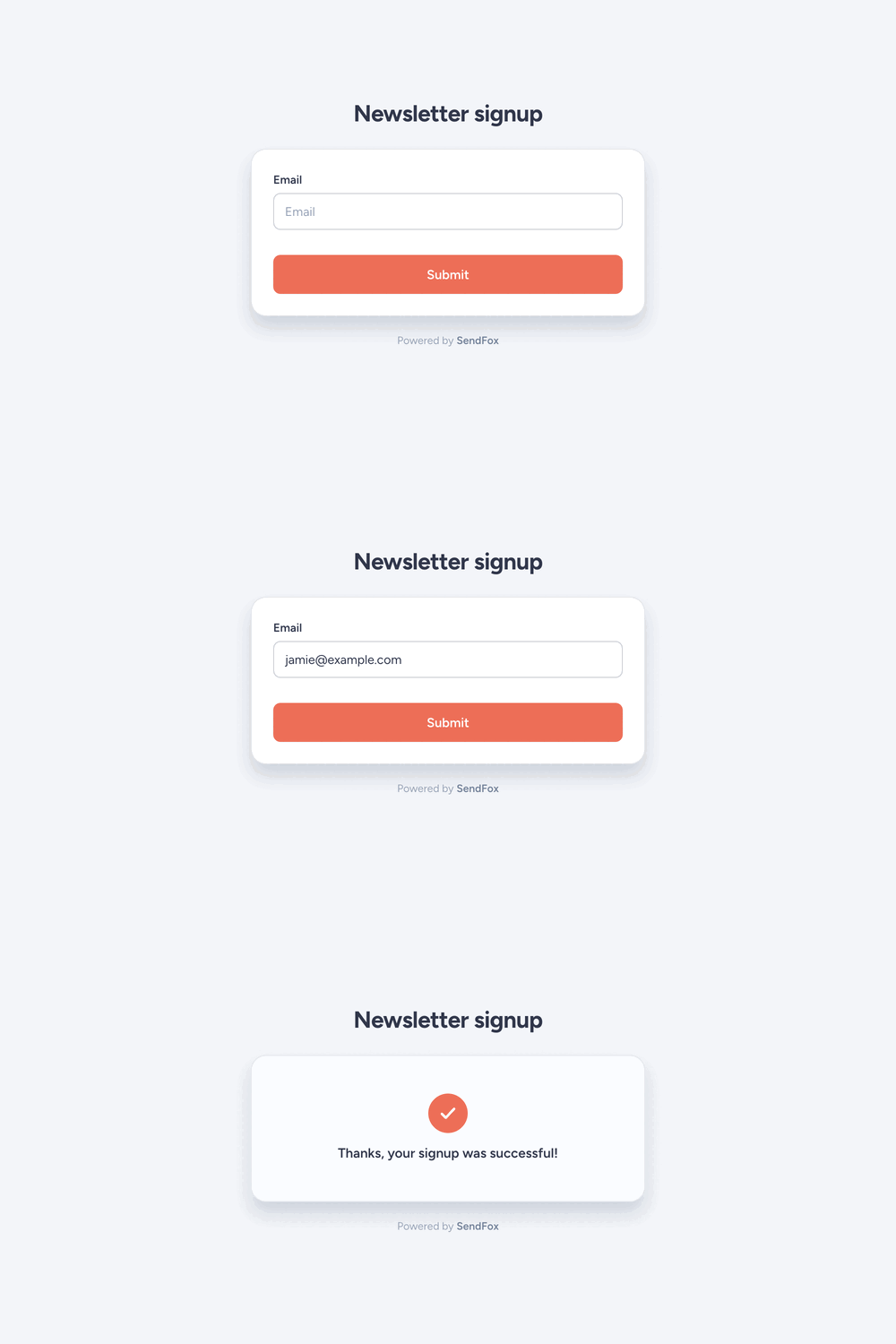
When someone who previously unsubscribed signs up through one of your forms again, SendFox now resubscribes them automatically. Their new signup is treated as renewed consent, so you no longer need to bring them back manually from the contacts list.
Just send them to one of your forms and let them sign up again.
Try it with your forms →
Add Automation Contacts by Tag or Individually 🧩
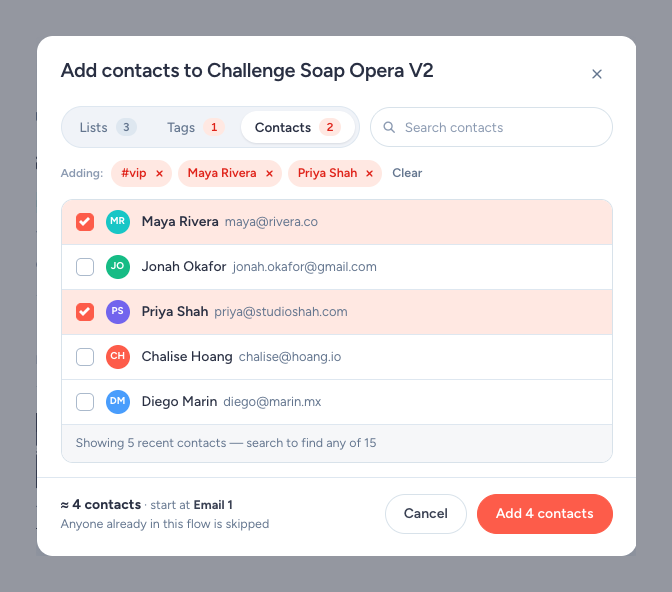
Adding contacts to an automation is now more intuitive — and you're no longer limited to just lists. From the automation builder, add people by list, by tag, or one at a time.
Open an automation, choose how you want to add contacts, and select the people who should enter the workflow.
Add contacts to an automation →
Move Your Subscribers from Kit 📥
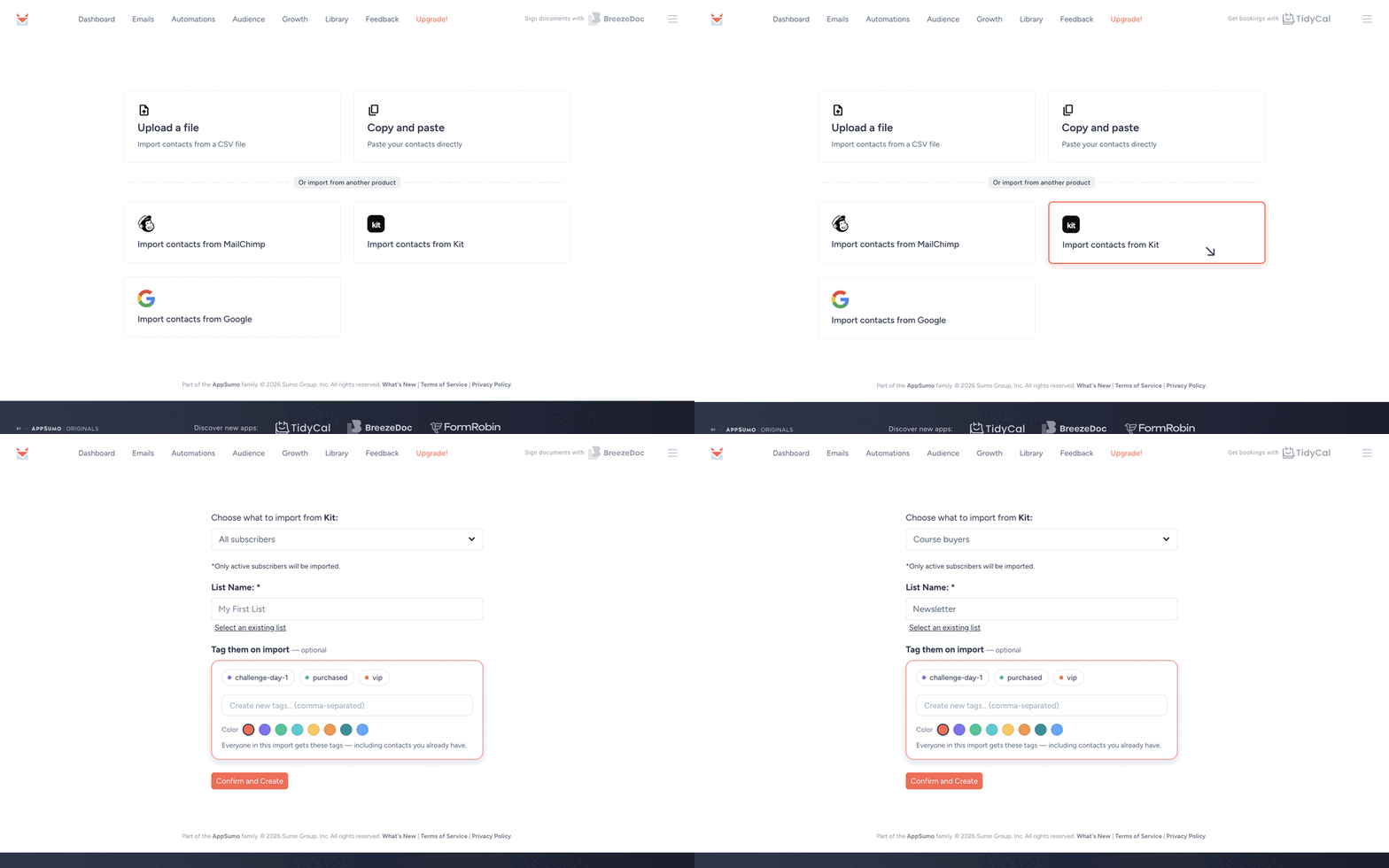
Moving over from Kit? Connect your Kit account and import your subscribers straight into a SendFox list. Import everyone at once, or choose only the subscribers who have a particular Kit tag.
Open the contact import area, connect Kit, choose the destination list, and select the full audience or a specific tag.
Try importing from Kit →
A Few More Things We've Been Up To 🛠️
Handy editor shortcuts — Select text and press Cmd+K to add a link. The link field also accepts bare domains, so you can paste a domain without adding the protocol first.
Resend to non-opens is easier to find — The one-click option to resend an email to people who didn't open it is now more visible in the emails list.
Unlimited AI email drafts on Pro — Every Pro plan now includes unlimited AI email drafts.
That’s the latest from our little corner of the internet. If you try any of these, hit reply — we read every one.
Want the full play-by-play?
Check it all out on our changelog →
❤️ & 🌮
Foxy at SendFox

| Sumo Group, Inc. 1305 E. 6th Street Unit 3 Austin, TX 78702 USA |
| Unsubscribe |
|
 |
|
